Now in 8 languages

RelishCue

Scan a menu. See what to order. Know what to ask before you order.
iPhone app Android open beta No account needed 7 day Pro preview
RelishCue top picks screenshot with recommended dishes

App preview

The app answers the real dinner question.

RelishCue reads the menu text it can see, ranks dishes around your taste, and gives you a practical staff phrase when something needs a quick check.
RelishCue top picks screenshot showing recommended dishes
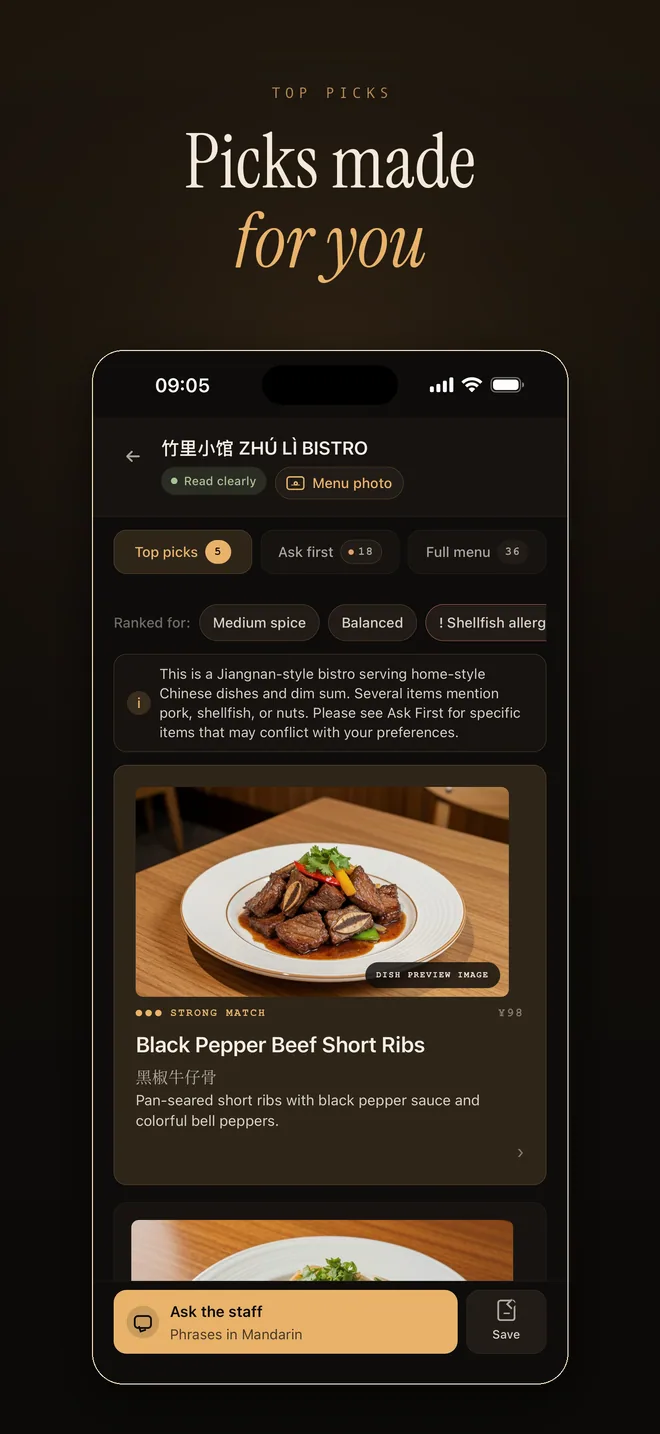
Top picks first Recommendations are ranked around taste, spice comfort, and things you avoid.
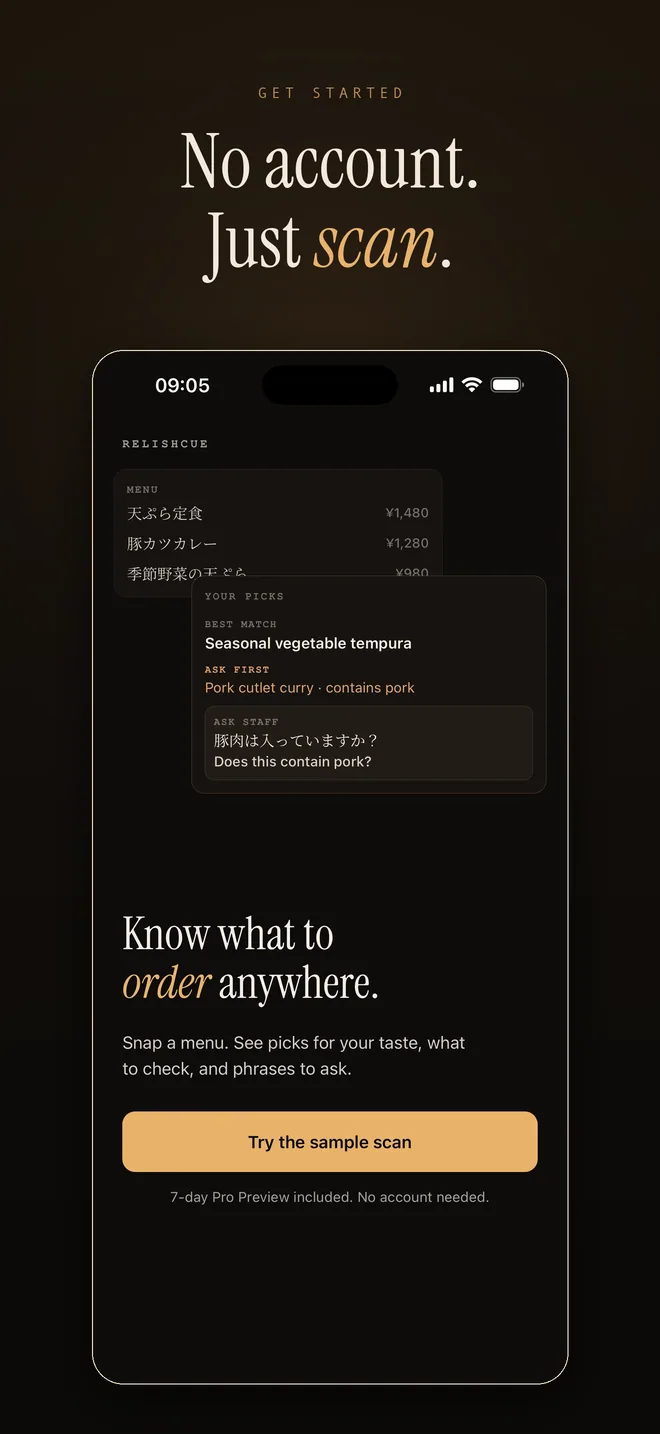
RelishCue welcome screenshot with a sample scan button
No account Try the sample scan or start with a menu photo right away.
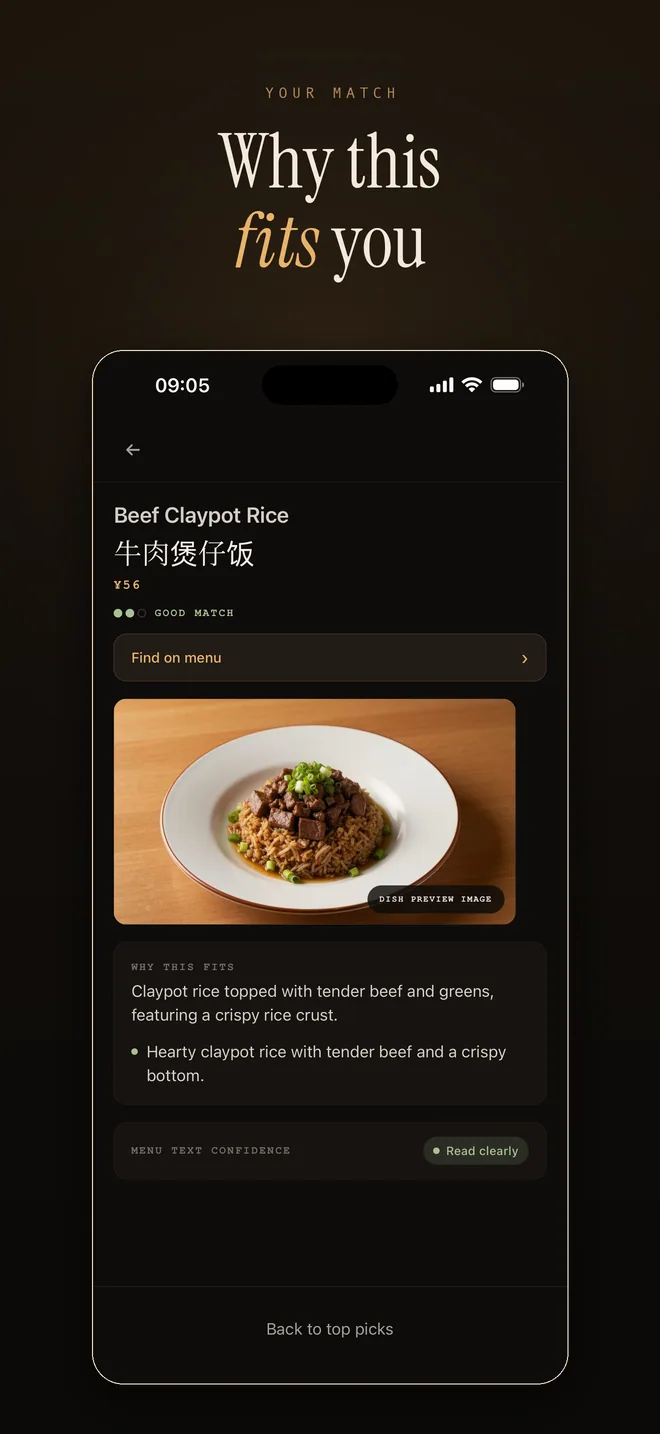
RelishCue dish detail screenshot explaining why a dish fits
Why it fits Dish details explain the match so the recommendation feels useful, not random.
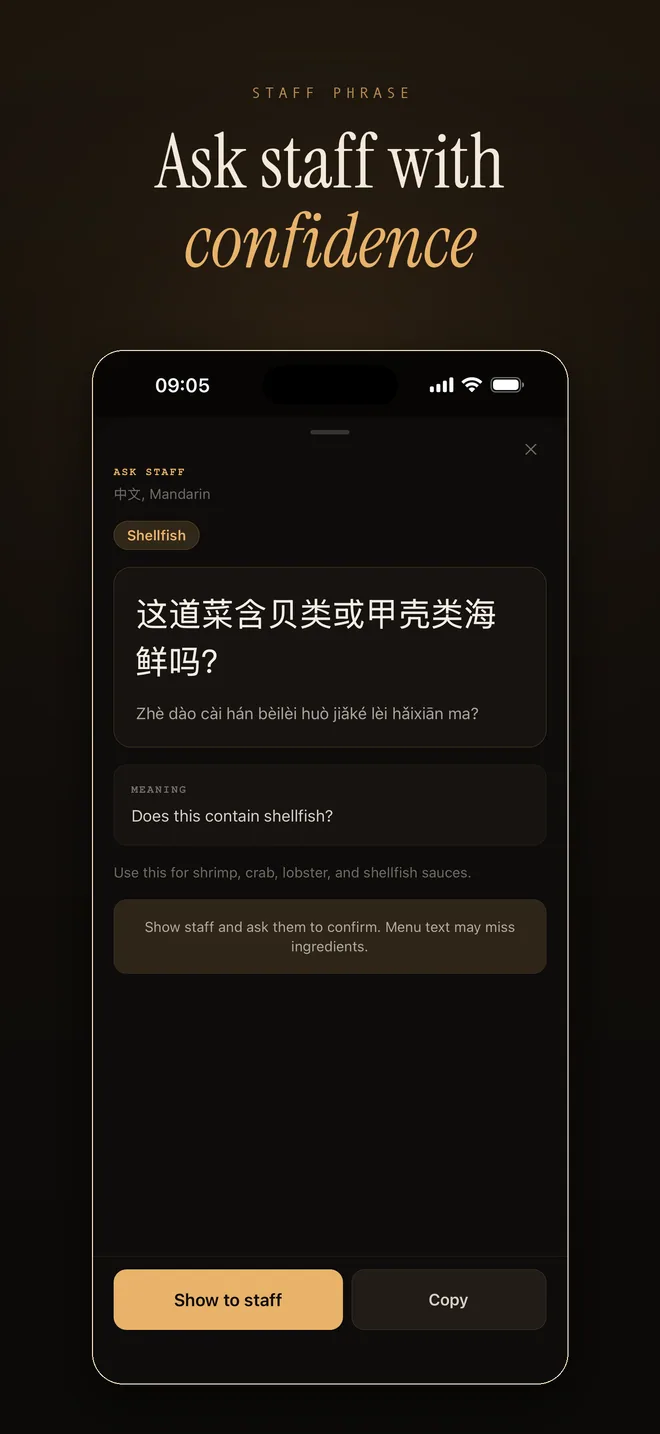
RelishCue staff phrase screenshot with a local language phrase
Staff phrase Show a simple local phrase when you want staff to confirm something.
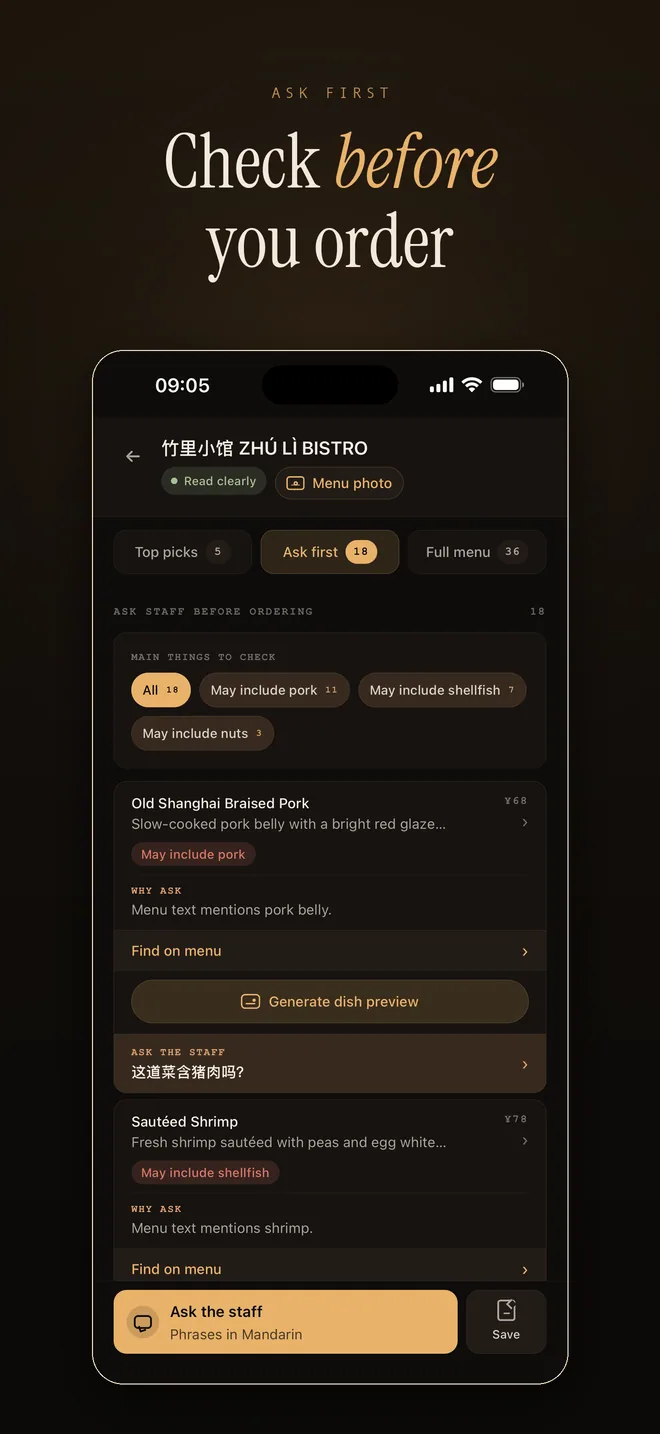
RelishCue check first screenshot showing dishes to confirm before ordering
Check first Dishes that may need a staff question are grouped in one place.
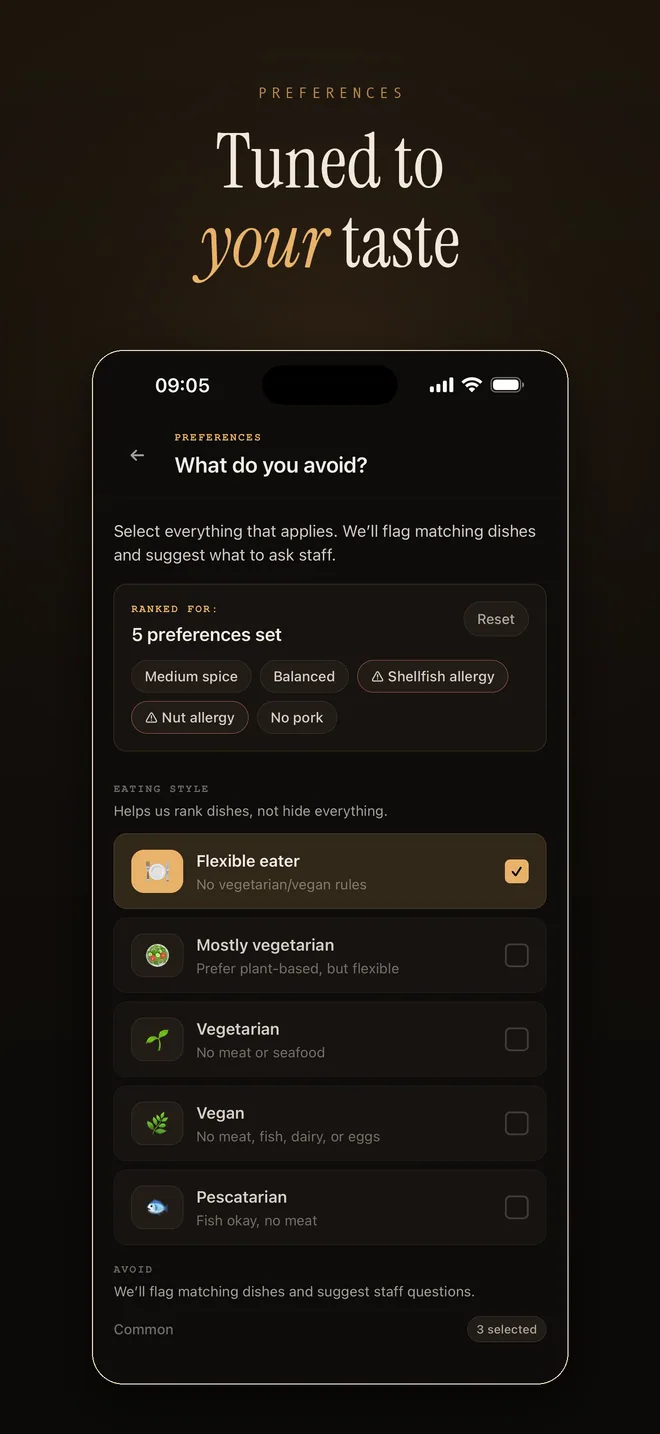
RelishCue preferences screenshot with taste and ingredient choices
Tuned to taste Preferences help the app compare unfamiliar dishes against what you want.
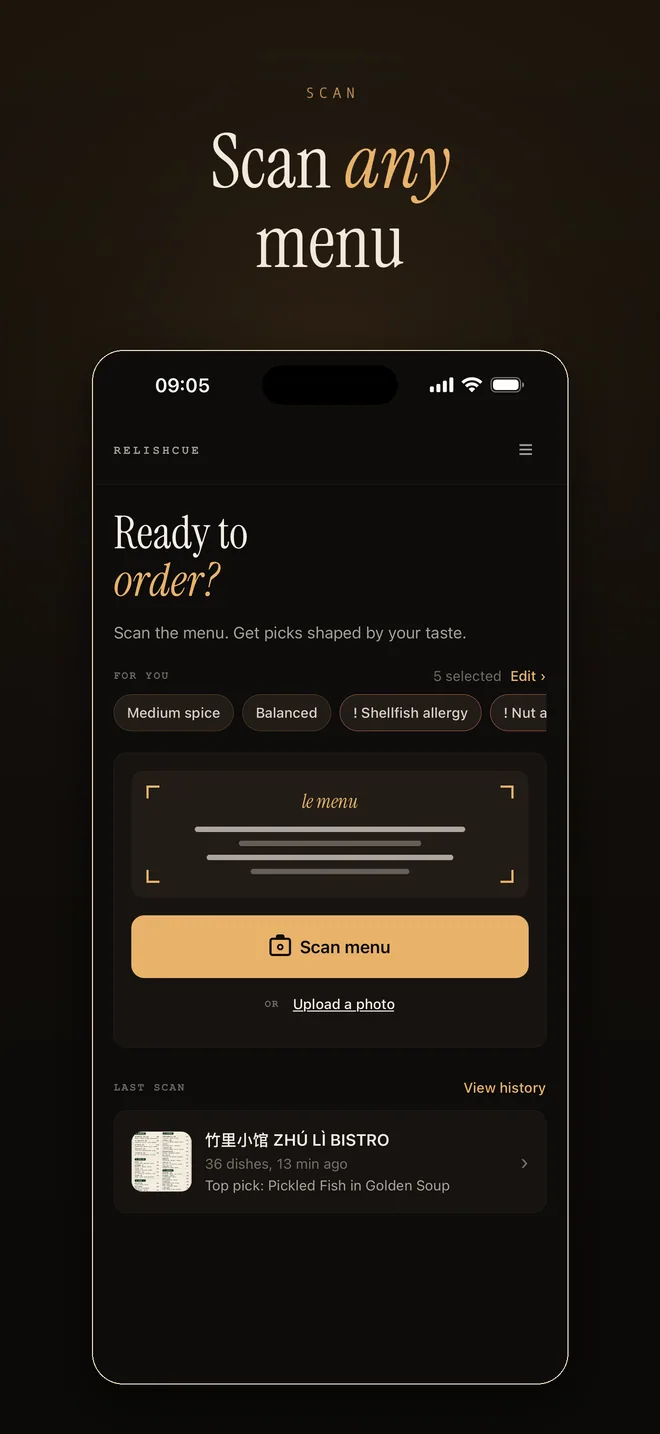
RelishCue home screenshot with scan menu and upload photo options
Scan any menu Use document scan, a menu photo, or upload an image from your phone.
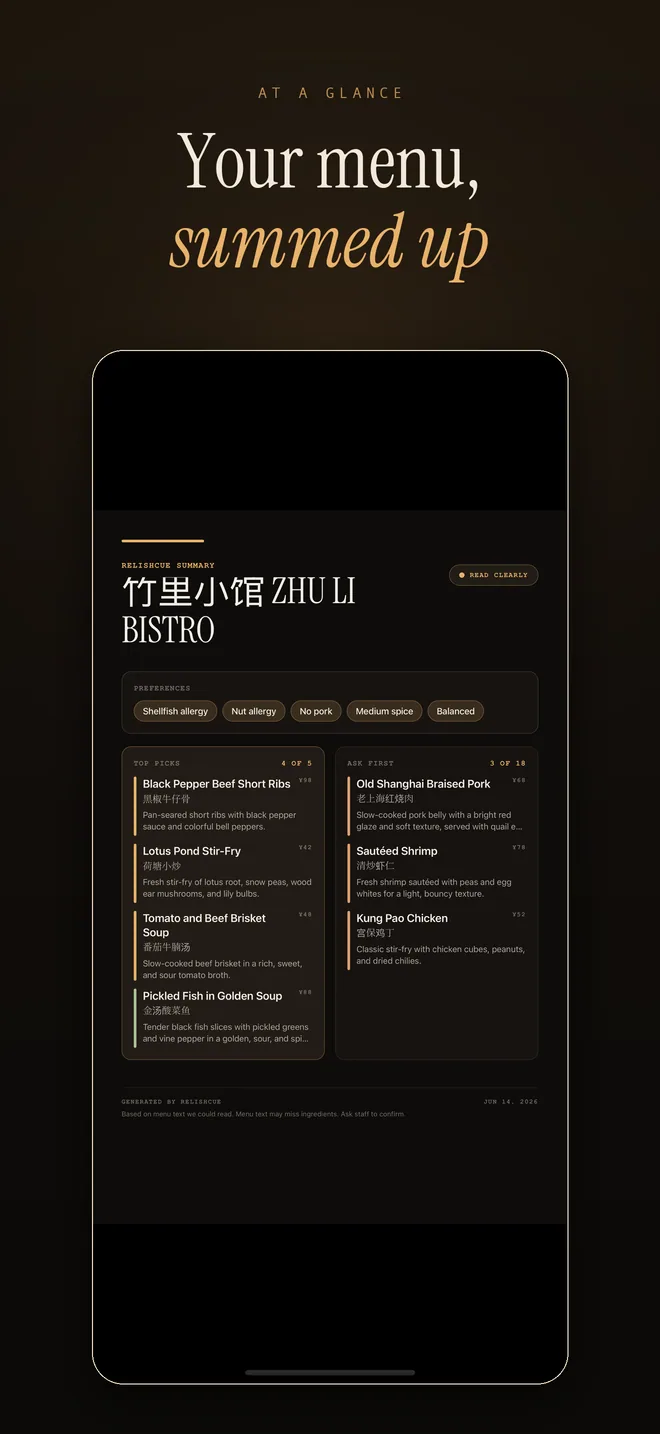
RelishCue menu summary screenshot
Menu summary Save a clean summary so the result is easier to revisit or show.
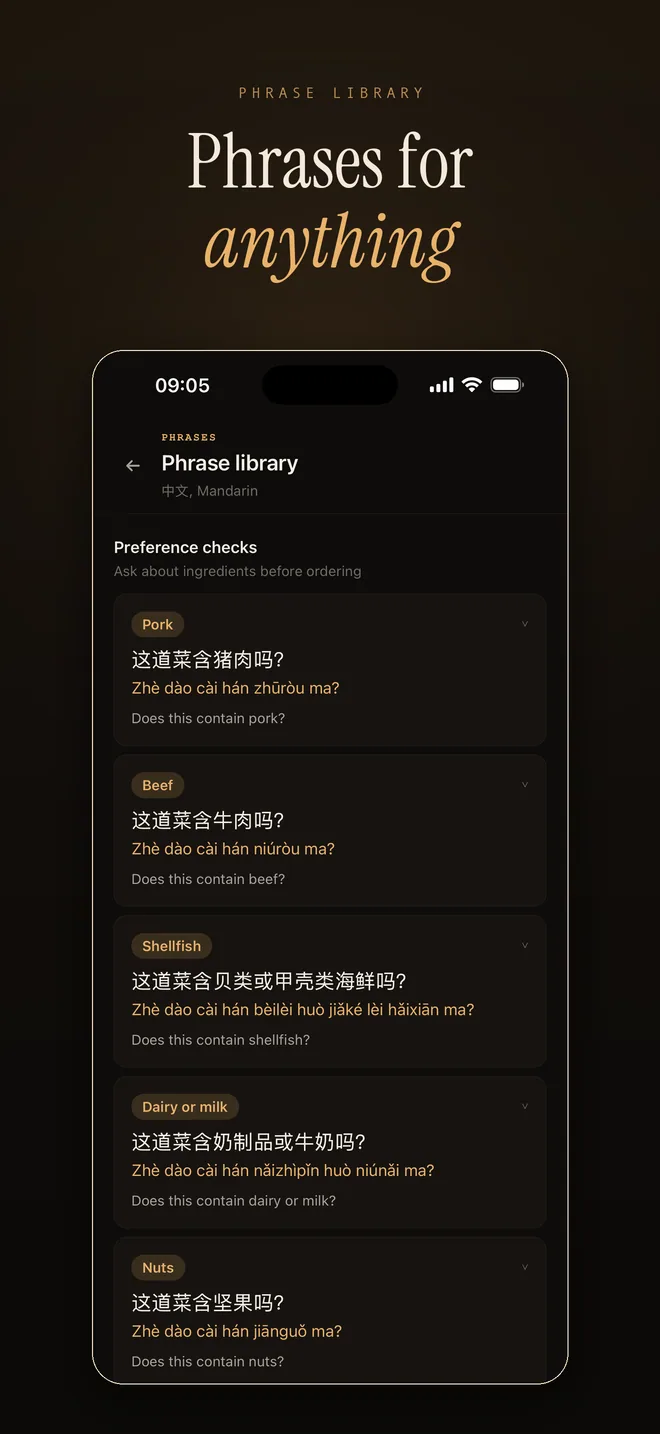
RelishCue phrase library screenshot
Phrase library Keep practical questions close for common dining moments.
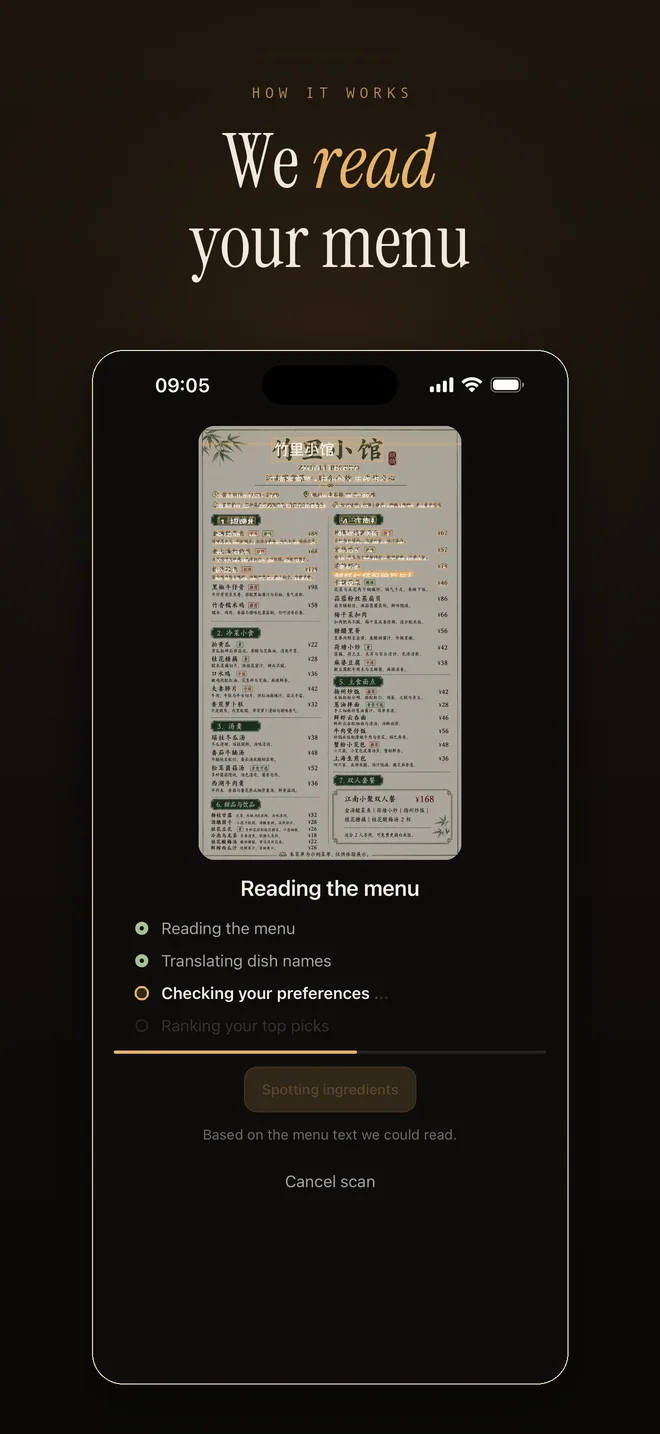
RelishCue processing screenshot reading a menu
Menu reading Processing stays clear while the app reads the menu text.

Languages

The whole app now speaks 8 languages.

Use RelishCue in English, Spanish, French, German, Russian, Japanese, Korean, and Turkish.

Results follow your language

Dish picks, what to check first, sample menus, and saved summaries stay readable.

Staff phrases stay practical

The app helps you show or ask a clear local phrase before ordering.
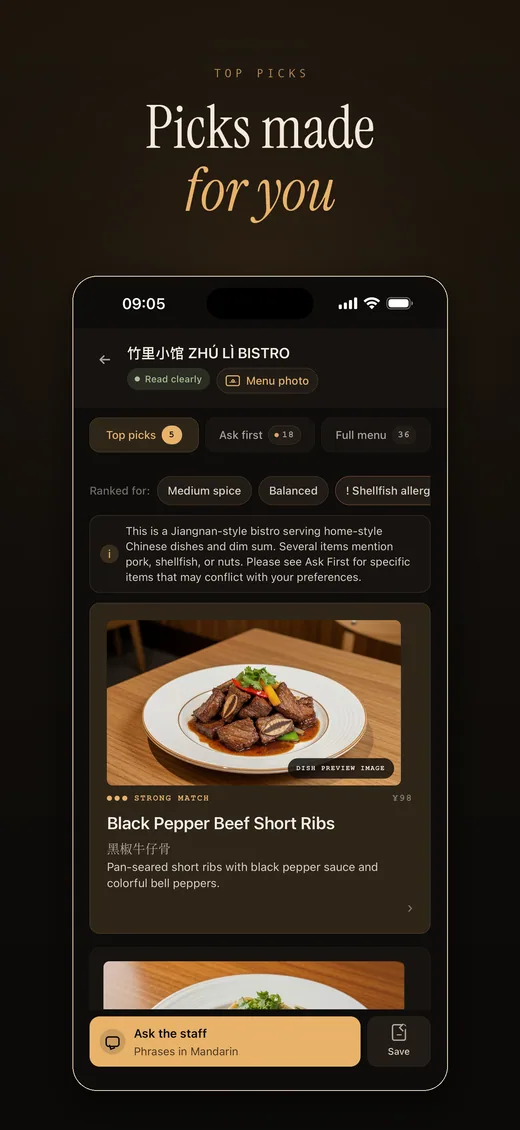
RelishCue top picks screenshot in English
English English
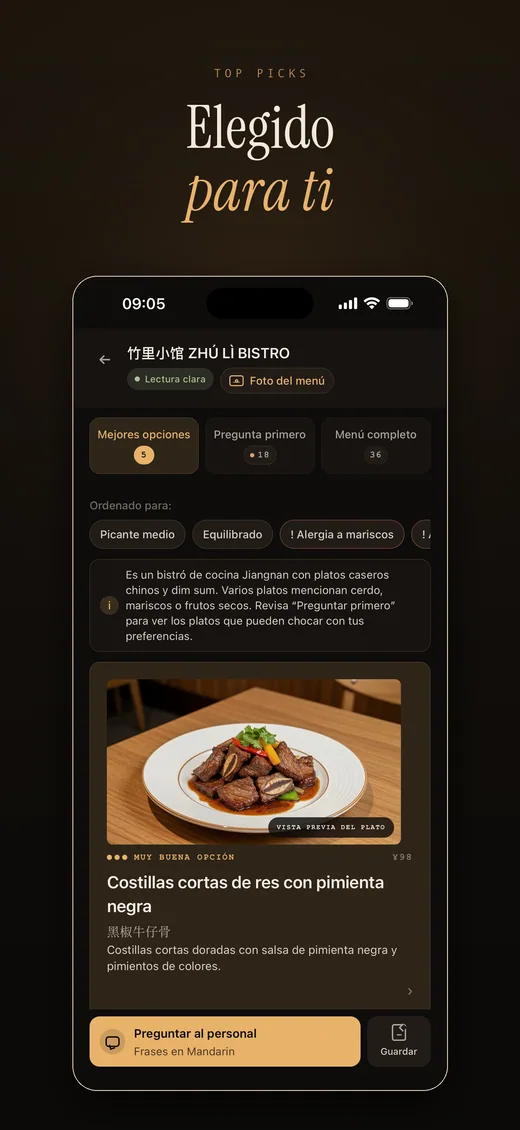
RelishCue top picks screenshot in Spanish
Spanish Español
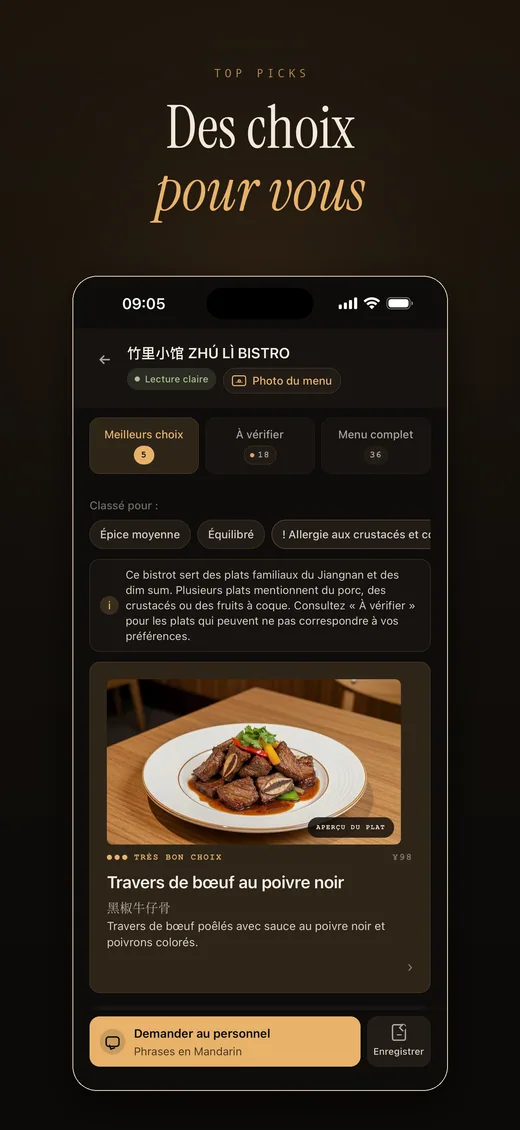
RelishCue top picks screenshot in French
French Français
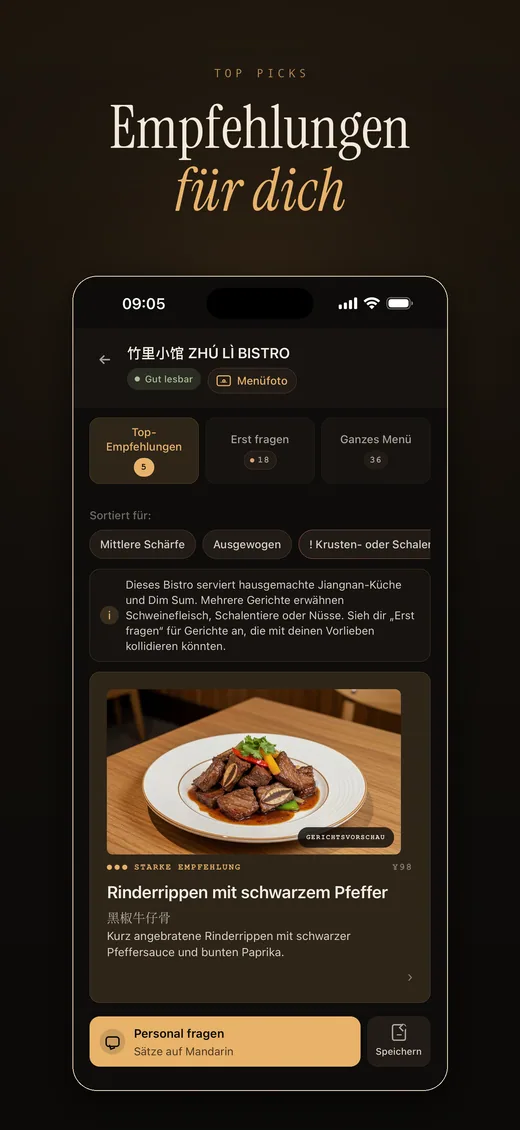
RelishCue top picks screenshot in German
German Deutsch
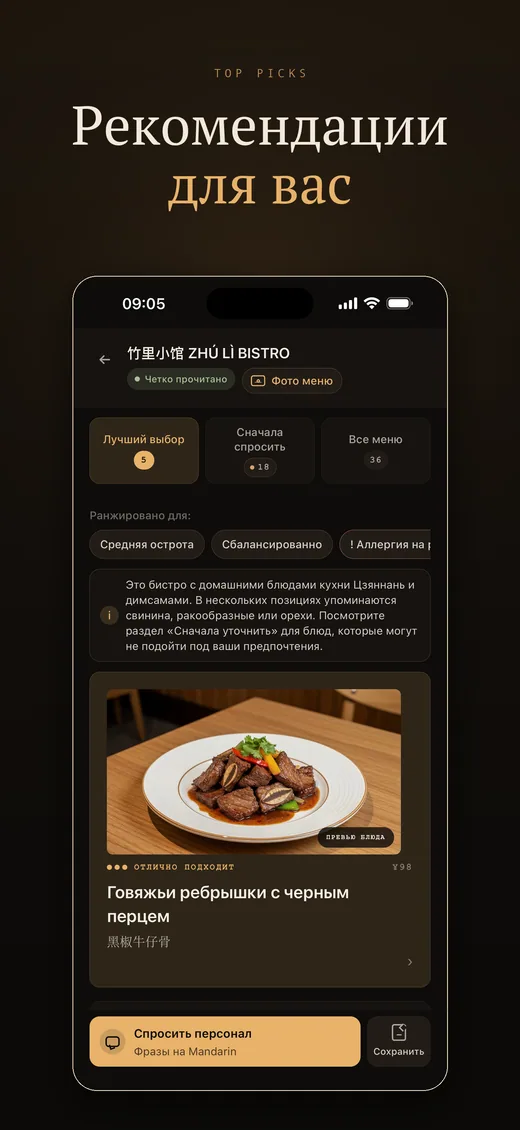
RelishCue top picks screenshot in Russian
Russian Русский
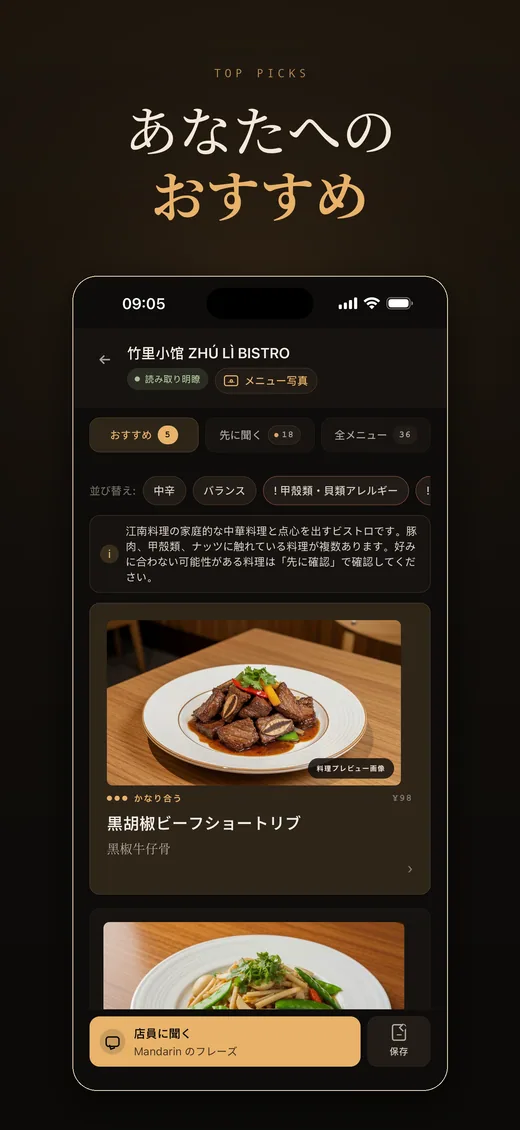
RelishCue top picks screenshot in Japanese
Japanese 日本語
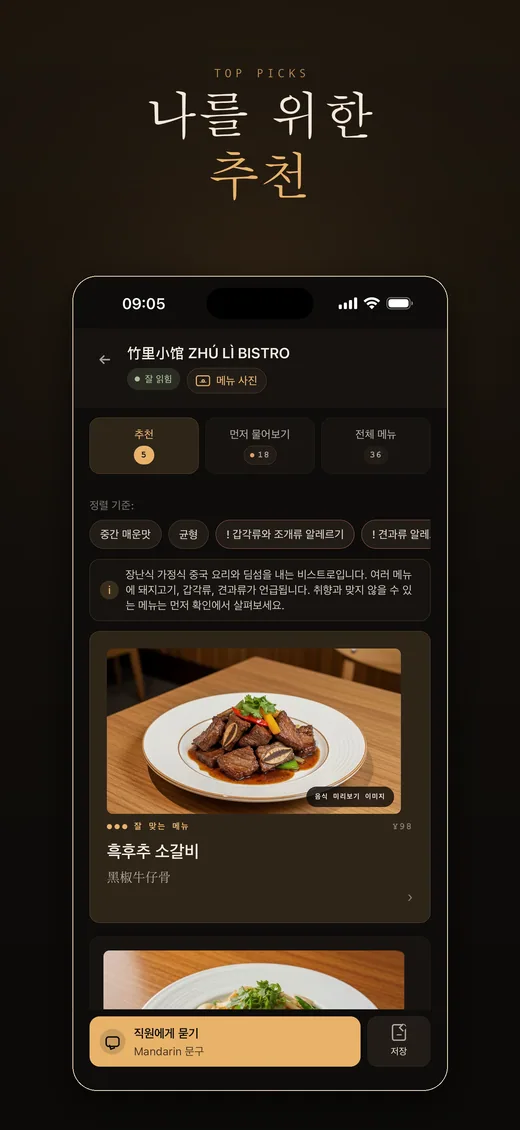
RelishCue top picks screenshot in Korean
Korean 한국어
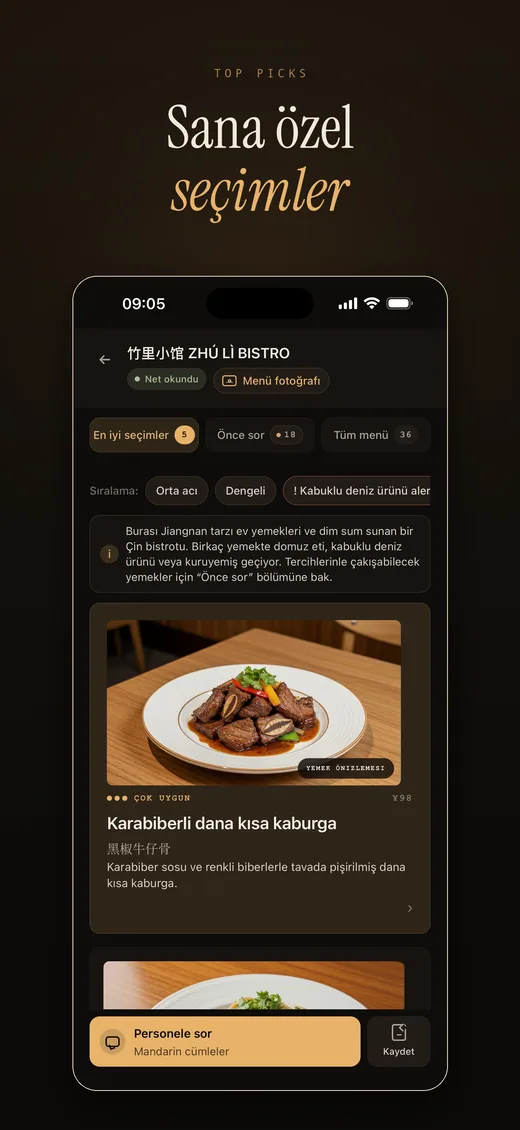
RelishCue top picks screenshot in Turkish
Turkish Türkçe

How it works

From menu photo to a better order.

The flow stays short because the goal is not research. The goal is a useful decision while everyone is still deciding what to eat.

01

Scan the menu

Use a menu photo, document scan, or image upload.

02

Read the menu

RelishCue reads the menu text it can see and keeps the source photo close by.

03

Rank your picks

Top picks are shaped by taste, spice comfort, and things you avoid.

04

Check first

Dishes that may need a quick question are grouped in one place.

05

Ask staff

Show a local phrase and ask staff to confirm before ordering.

Why it helps

The results screen does the heavy lifting.

Top picks

A short list of dishes that fit what you told the app about your taste and preferences.

Check first

A focused list of dishes that may include ingredients you want to check before ordering.

Full menu

Plain language summaries so unfamiliar dishes are easier to compare.

Shareable summary

A menu poster makes the result easier to save, show, or compare with friends.

RelishCue app results screenshot showing top picks, ask first, and full menu tabs

Pricing

Free for light use. Pro for longer menus.

Start with a monthly free allowance. Upgrade when you want more scans, more pages per menu, and more room for travel days.

7 day Pro preview for new users Free plan stays available Cancel through your app store

Free

For occasional menus

$0

For trying RelishCue or checking a few menus each month.

Menu scans
5 per month
Images per menu
Up to 3
  • Saved scans and preferences
  • Top picks and ask first notes
Download the app

Pricing may vary by country through the App Store and Google Play. Android beta availability is managed by Google Play.

Important notes

Made to help you ask better questions.

Menus can be incomplete, and restaurant preparation can change. RelishCue keeps the final check practical by helping you ask staff before you order.

Ask staff when it matters

Menu text can miss ingredients, preparation details, and substitutions, so RelishCue gives you a practical phrase to confirm.

No account required

RelishCue uses on device history, taste choices, and purchase status without asking you to create an account.

Built for restaurant light

The dark interface stays calm when you are scanning at the table or comparing dishes quickly.

Get the app

RelishCue is ready for iPhone and Android beta testers.

Download RelishCue from the App Store, or join the Android open beta on Google Play.

Download on the App Store Join Android open beta

Open beta access is handled by Google Play.